
Windows first · Mac next
Your AI team for client work.
You build with AI for clients. KUTOS gives you five agents who build, research, draft your email and check the work. On your computer, on the Claude or ChatGPT plan you already pay for. Nothing goes out without your yes.
Runs on your computer · Works with your Claude plan, or ChatGPT's Codex (beta) · No terminal
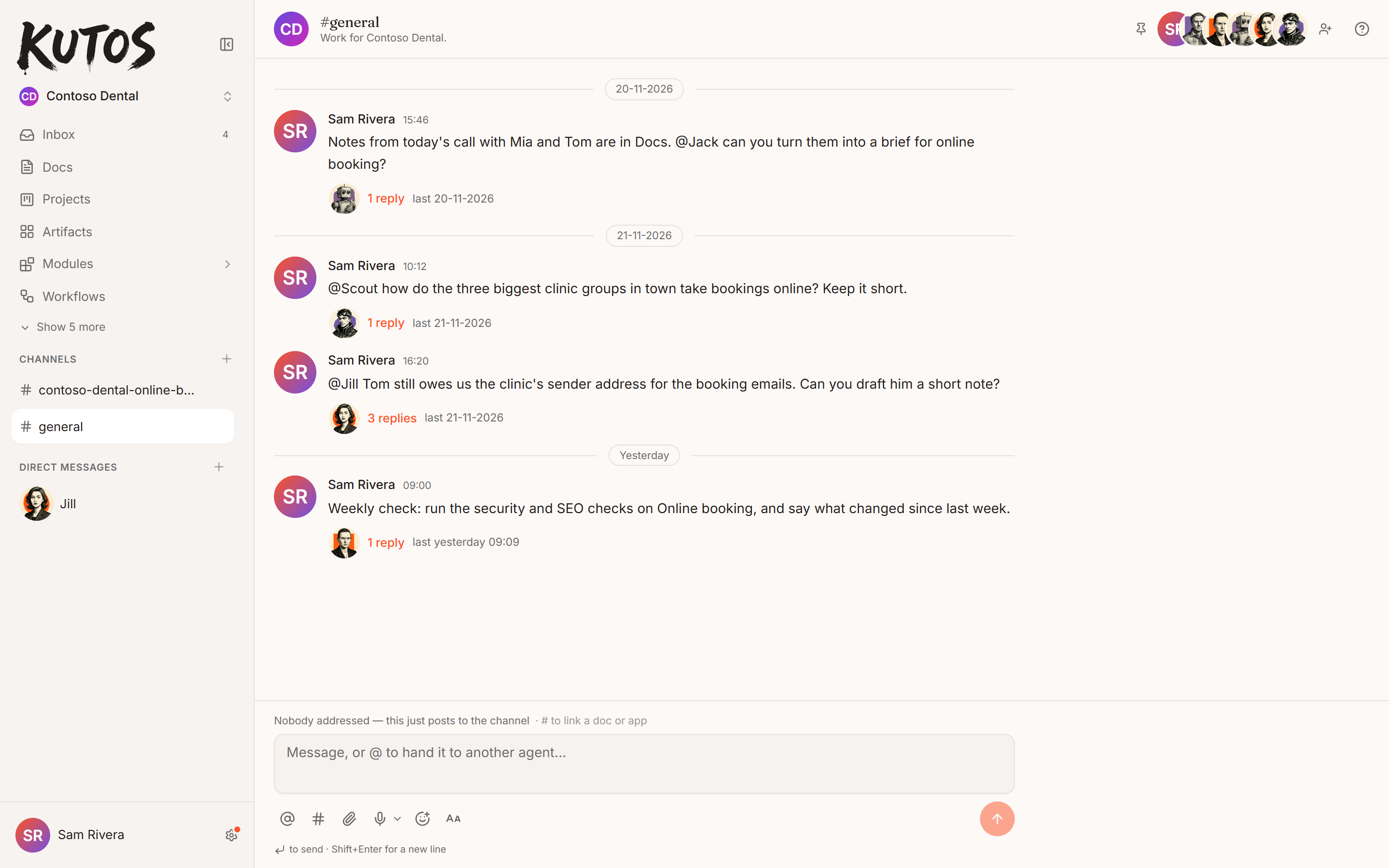
The work around the work
You build the project. Then there's everything else.
You re-explain the project every session.
Every client gets a room. Every project keeps its brief, its plan and its map. The agents start from those, not from nothing.
One change breaks three things.
Jack builds in the project's own folder. You see exactly what each build changed, and undo it. The Auditor checks before handover.
The client side never stops.
The call, the email, the follow-up and who promised what: saved under the right client, and drafted for you to send.
The team
Five agents. Each has a job, a name and a face.
Not one chatbot doing everything. Each agent has its own written methods, its own apps and its own way of working.
KUTOS
Jack
@jack
Builds your projectsWrites the brief. Builds when you say so.
Builds your projects in their own folders on your computer, and keeps each one's brief, plan and map true to its code.
- Starts
- When you mention @jack in a client's room
- Waits for
- You to press Build
- Leaves
- The brief in Docs, and a list of what each build changed
Waiting on you
Build "Online booking" for Contoso Dental
Rename them as you like. Add your own with the New agent button.
How it works
How a request travels.
A real one, from a sample studio: a dentist's online booking.
- 1
ASK
Ask an agent in a client's room.
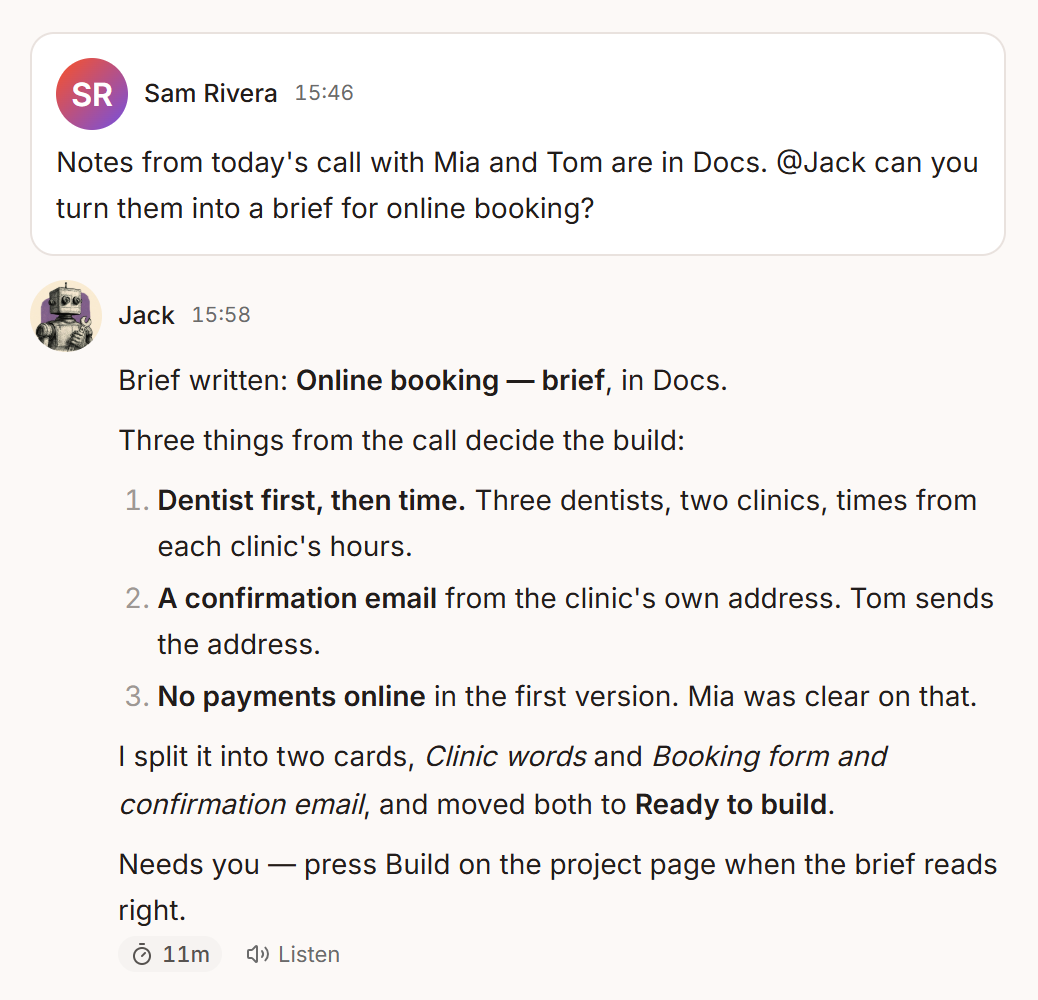
"@Jack, turn today's call notes into a brief." Jack starts from that client's notes, documents and people, not from a blank chat.

- 2
WORK
It works the job in its own thread.
You can read it as it goes: what it opened, what it checked and what it wrote.
- 3
FILE
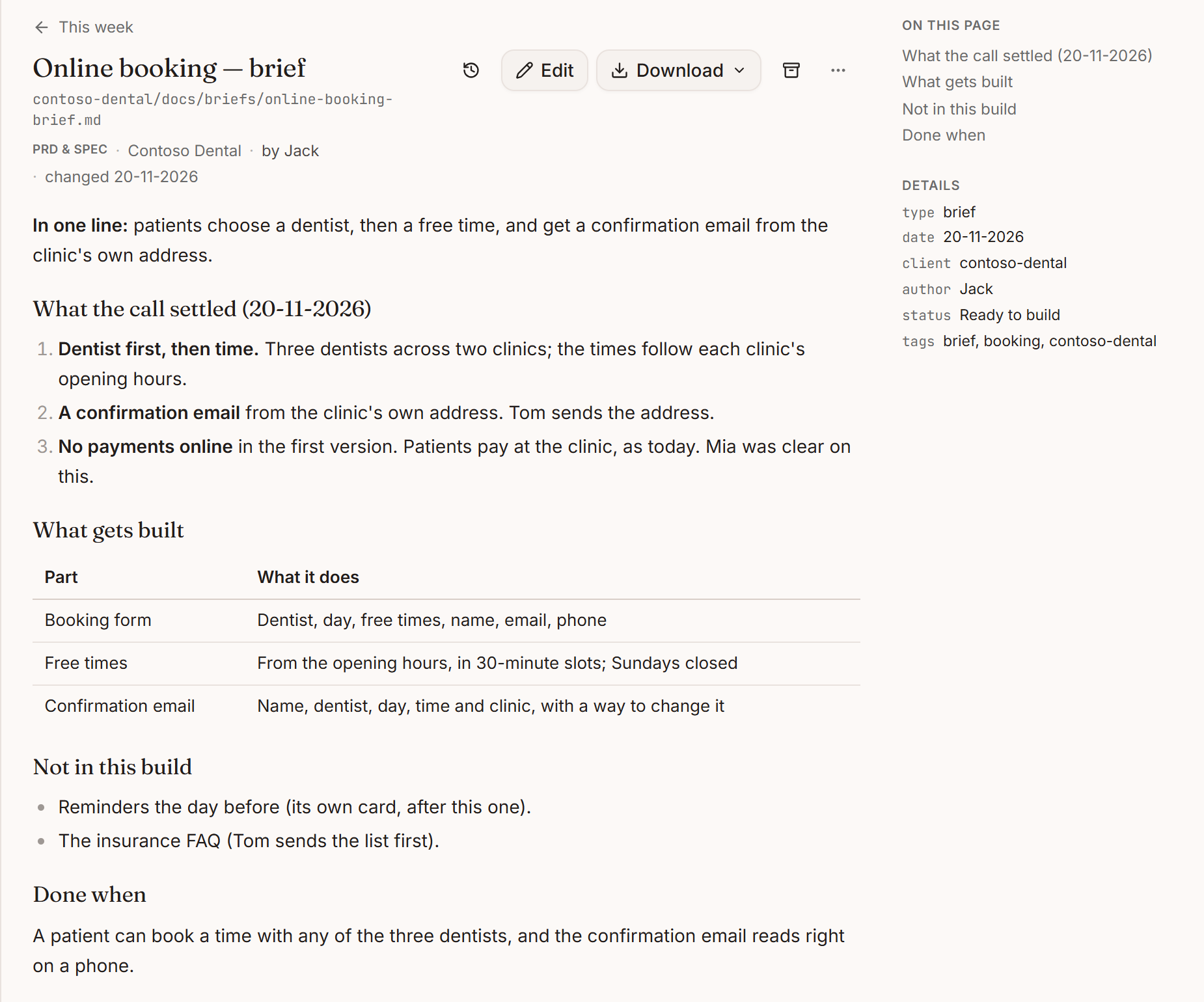
What it writes is filed in Docs.
The brief lands in the client's Docs, with its history. A library, not a chat log.
- 4
WAIT
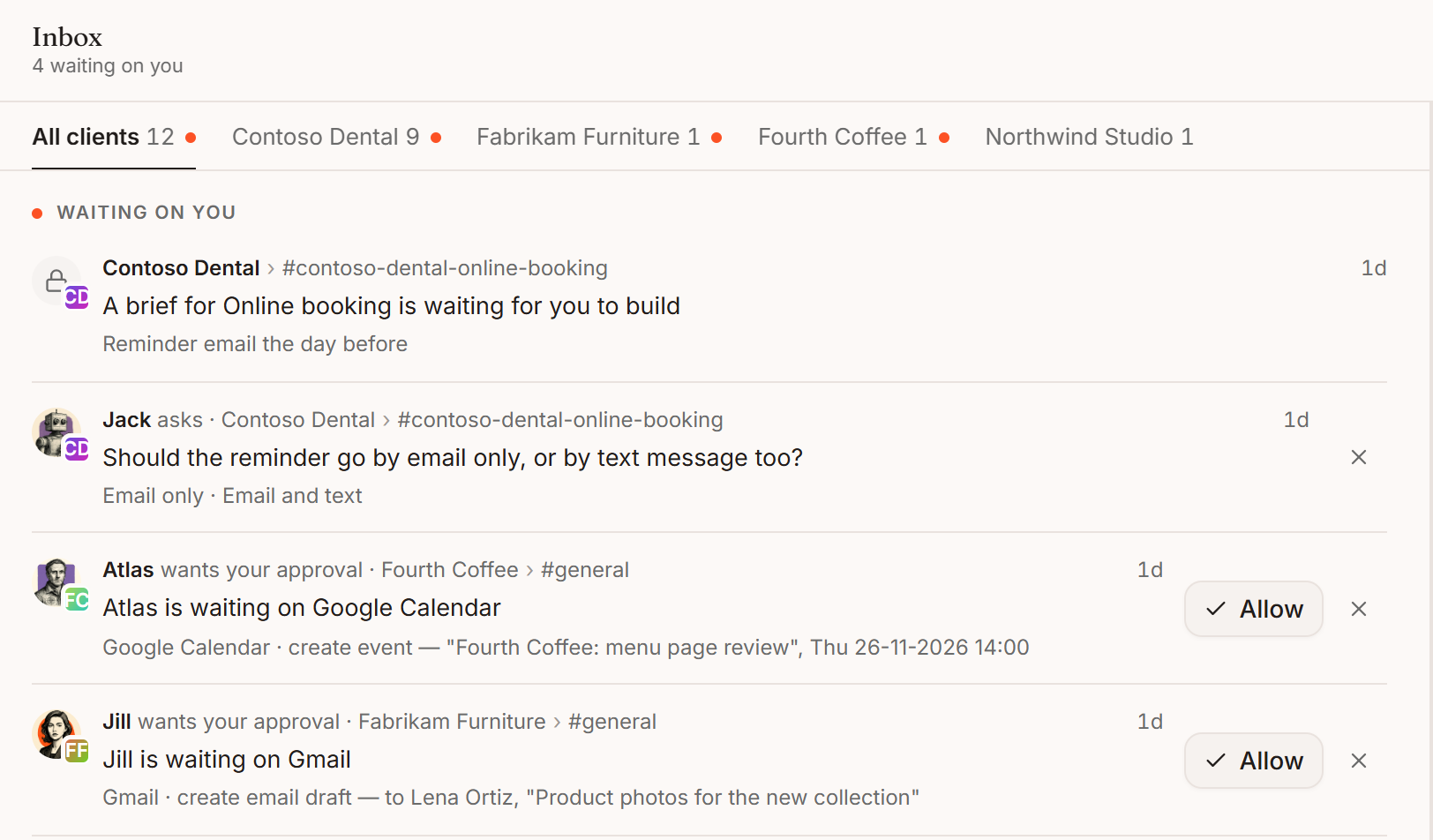
Anything it can't do alone waits in your Inbox.
Building, sending and running a command wait for your yes. You allow, deny or answer.
Built for client work
A room for every client. Walls between them.
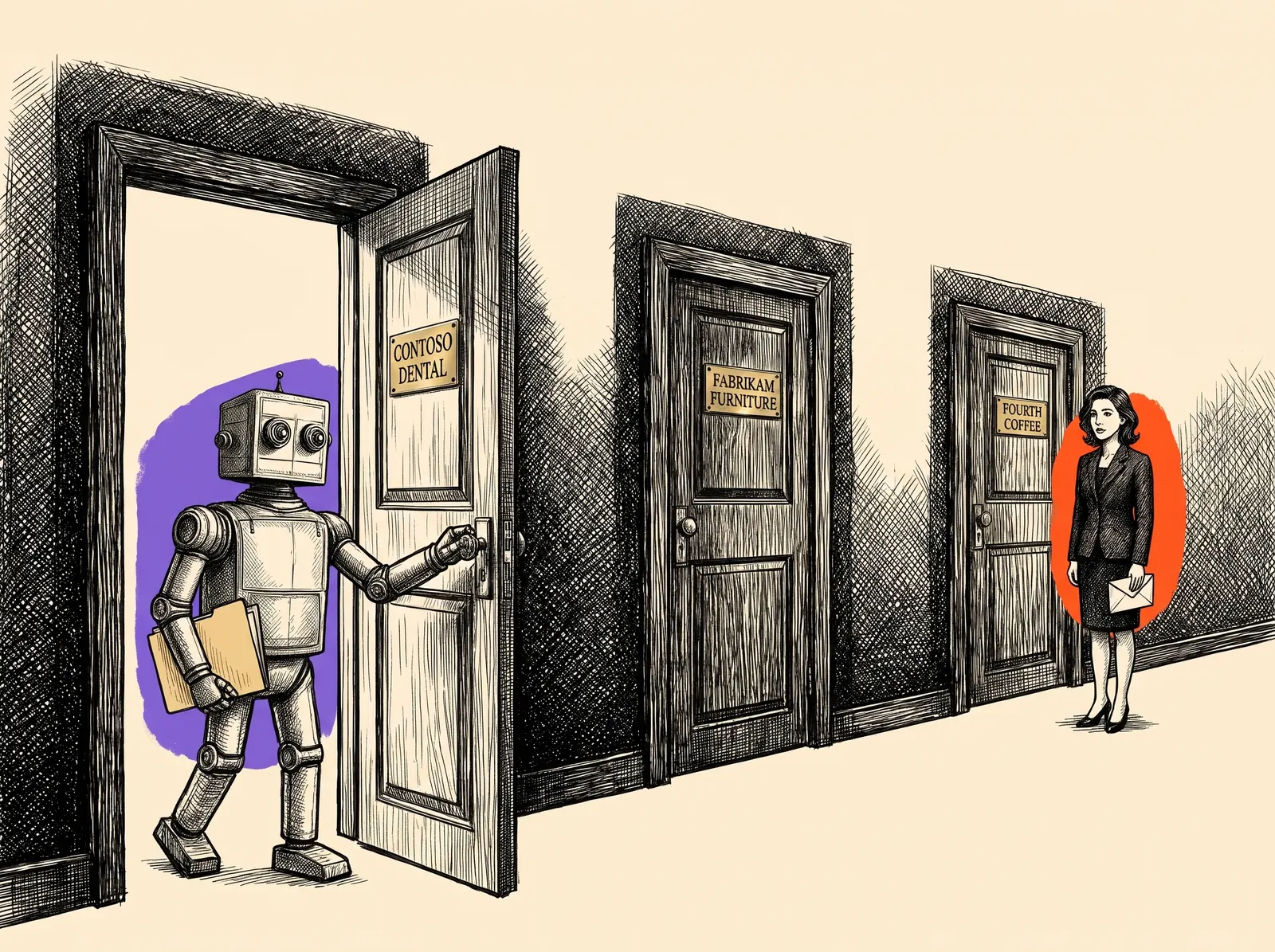
Each client's notes, documents and people are kept apart by the app, not by habit. An agent never chooses what it reads. It asks a question, and the system decides what it may see.
Jack works in Contoso Dental's room.
The call notes with Mia and Tom, the booking brief and the project are in here. That is all he sees.
Fabrikam's work stays behind its own door.
Lena's shop refresh, her emails and her files. Nothing from Contoso Dental can reach them, and nothing leaks out.
Jill waits at Fourth Coffee's door.
Her draft about the menu page is ready. It goes nowhere until you read it and send it.
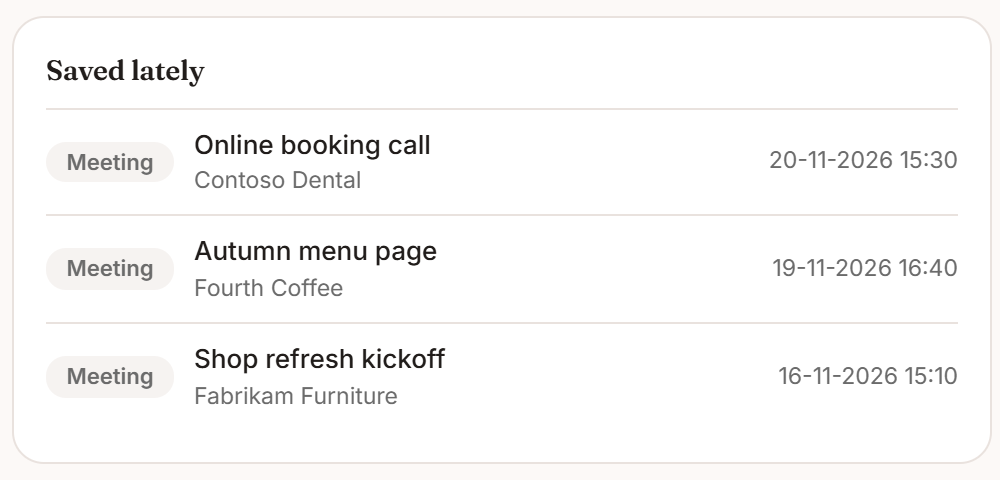
Their email, calls and chats, saved under them.
Meetings, emails and chats are saved as files in each client's Docs. Your agents read them, so you stop retyping context. The files stay in your KUTOS folder.
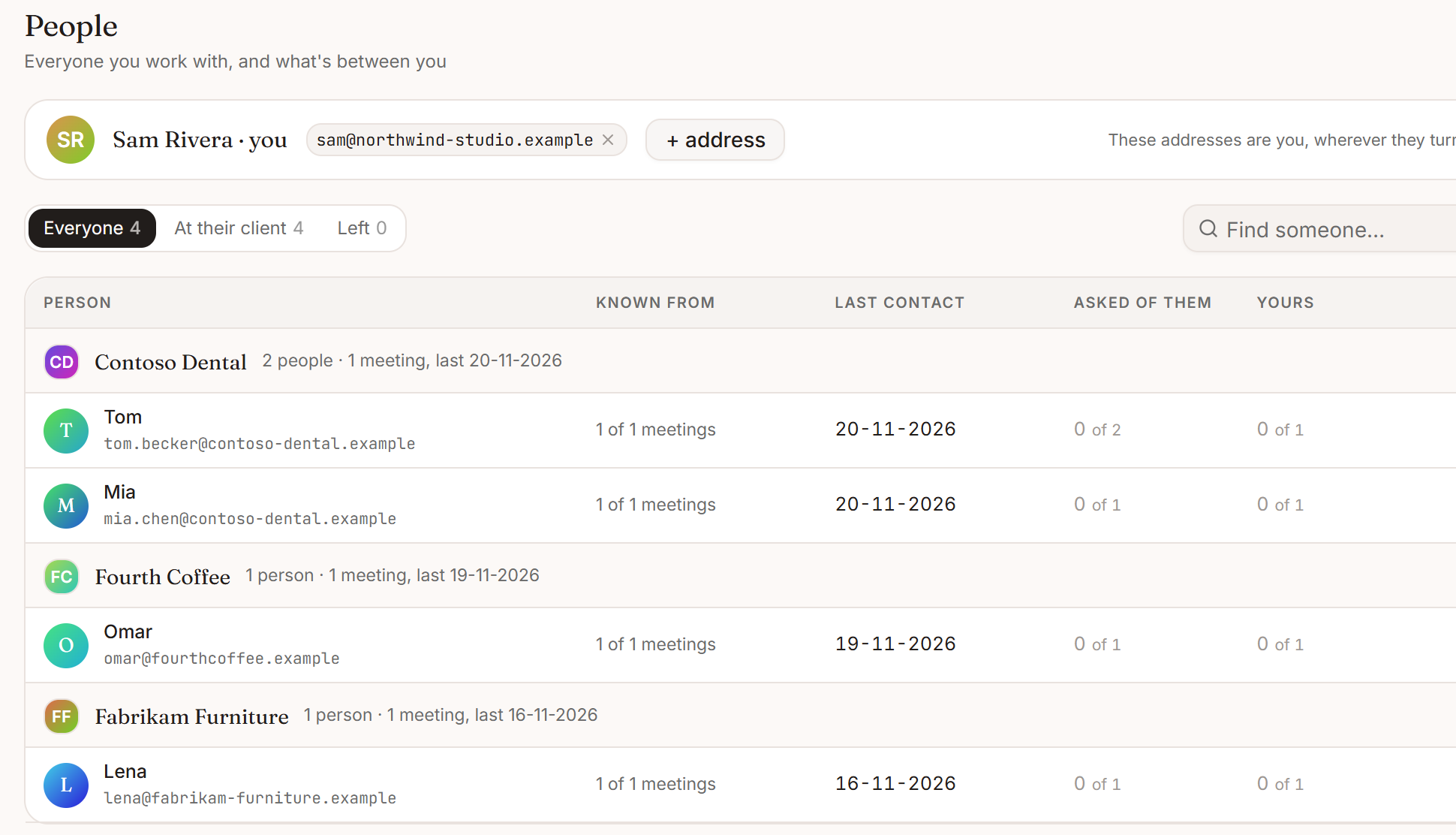
Who is who, and what is open between you.
People shows each client's contacts and what is open with each. Decisions, which is optional, quotes what was asked and what was promised.
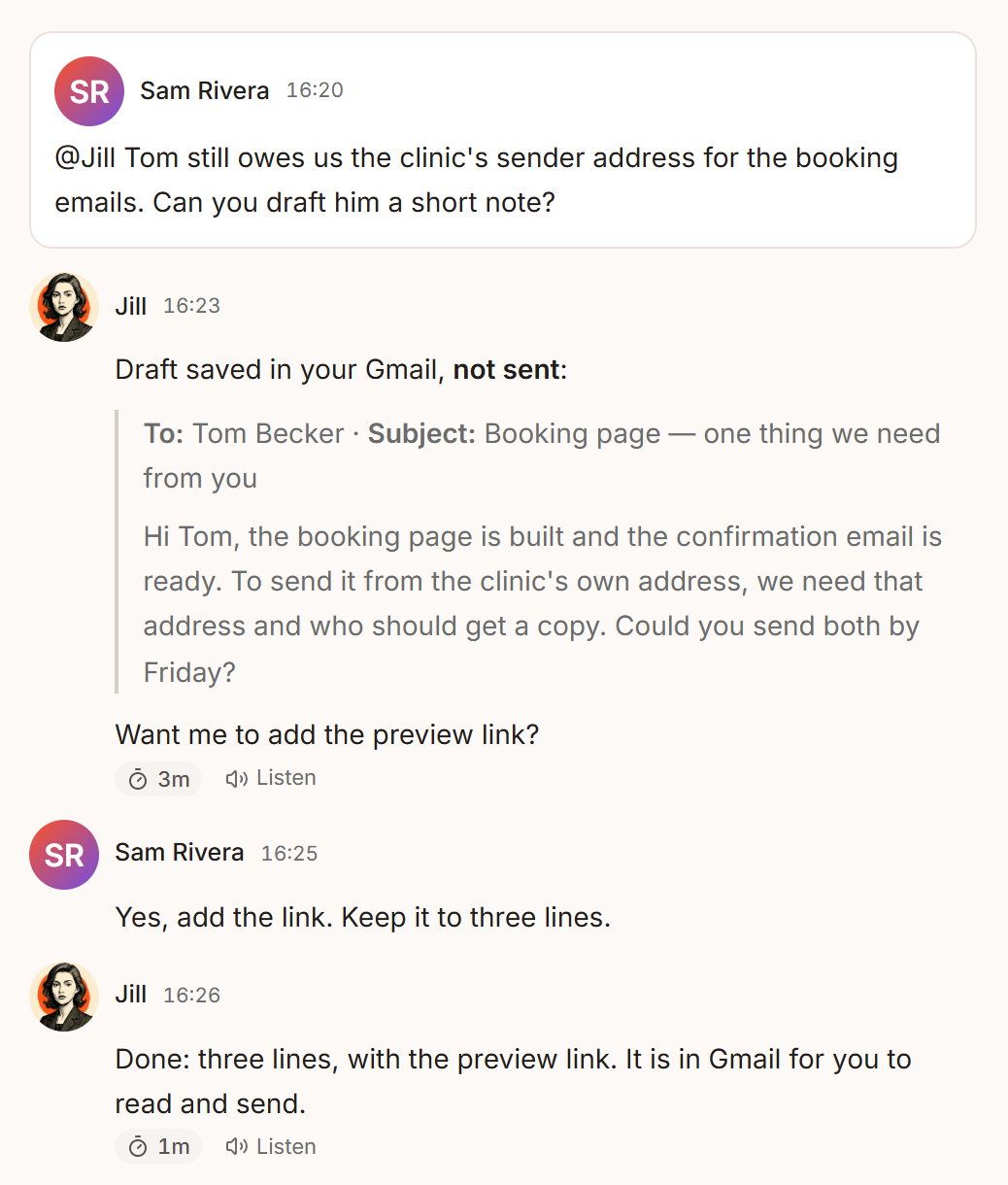
Jill writes the follow-up. You send it.
Drafts for the note you owe, the question you never answered and the brief you promised. Every one waits for you.
Checked before it ships
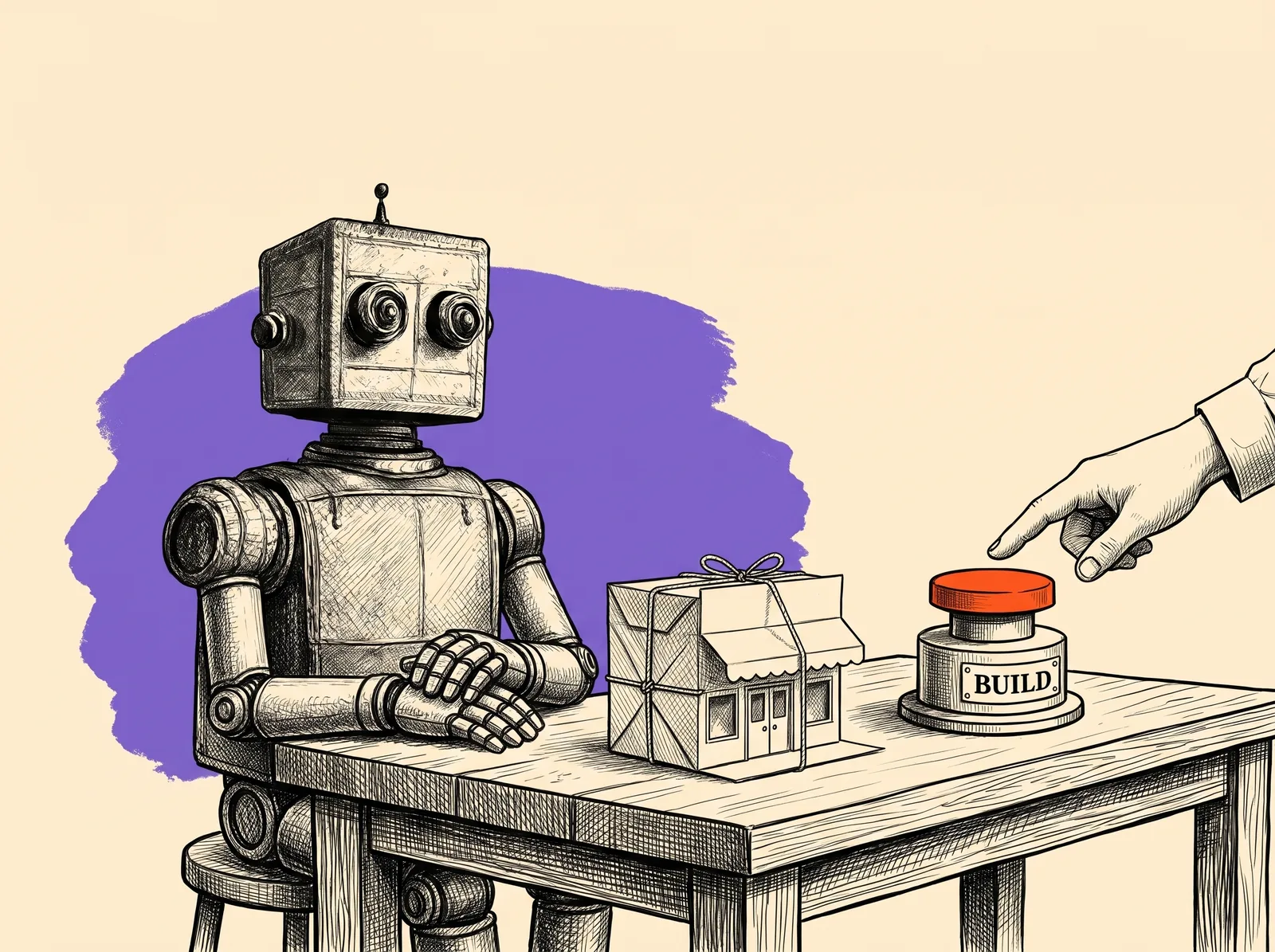
Nothing is built until you press Build.
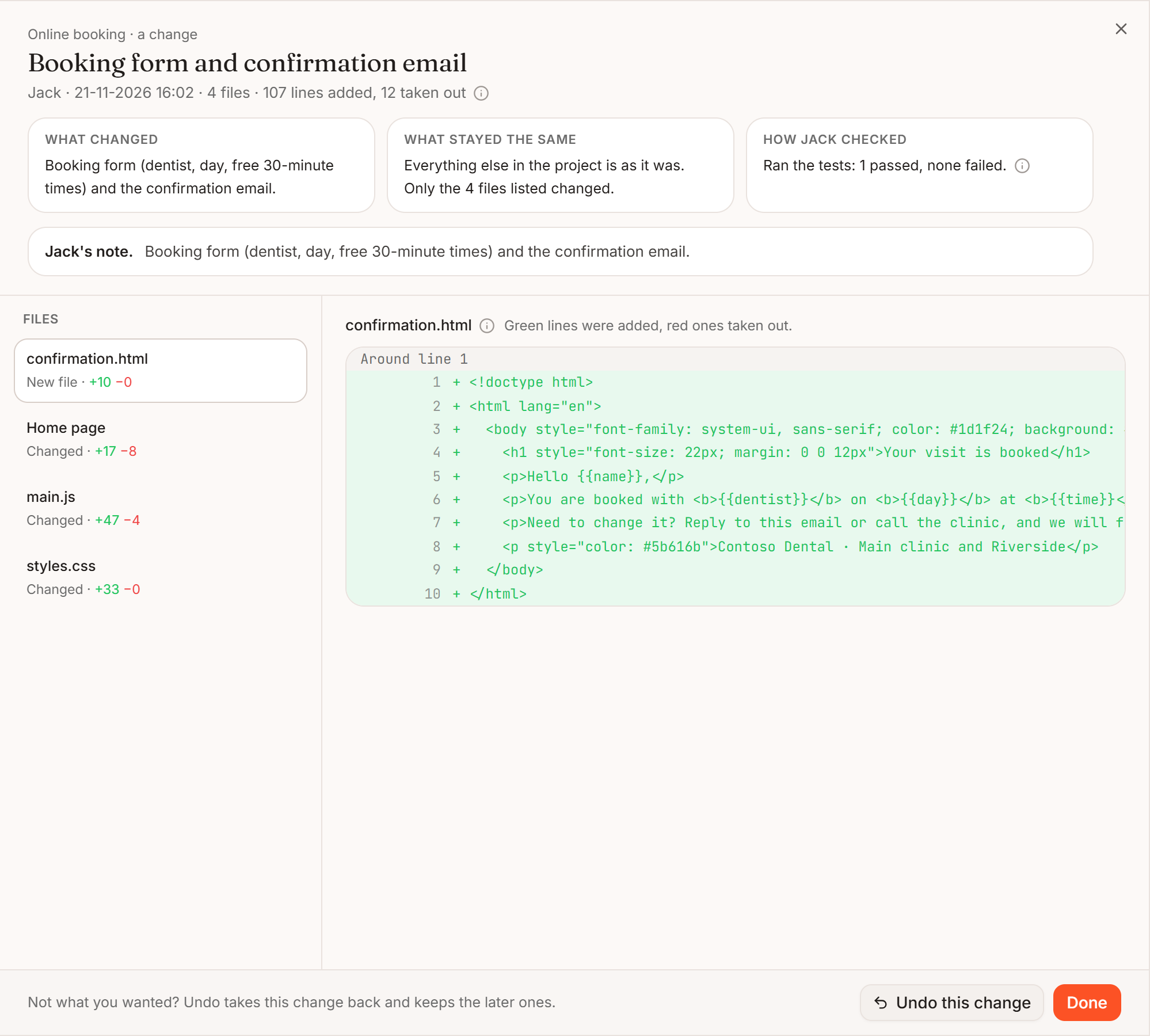
Jack writes the brief. You read it. You press Build. Then you see what changed, line by line, and you can take any build back. The Auditor checks the project before it goes to your client.
- Brief
- Build
- See what changed
- Undo
- Handover check
One study scanned 5,600 apps built with AI and found more than 2,000 vulnerabilities and more than 400 exposed secrets.
Escape.tech, 29-10-2025.
Yours
On your computer. On your plan.
Runs on your computer.
Your files, notes and documents stay in a folder you choose.
What an agent sends to the AI goes to the AI company you signed in with, on your account.
Your plan. No terminal.
KUTOS runs Claude Code, and ChatGPT's Codex (beta). It installs them for you and signs you in from the app.
Nothing goes out without your yes.
Jill drafts every email and never sends one. Anything an agent may not do alone, such as running a command, using a connected app or building a project, waits in your Inbox.
In testing Approve from your phone, through Telegram.
Windows first. Mac next.
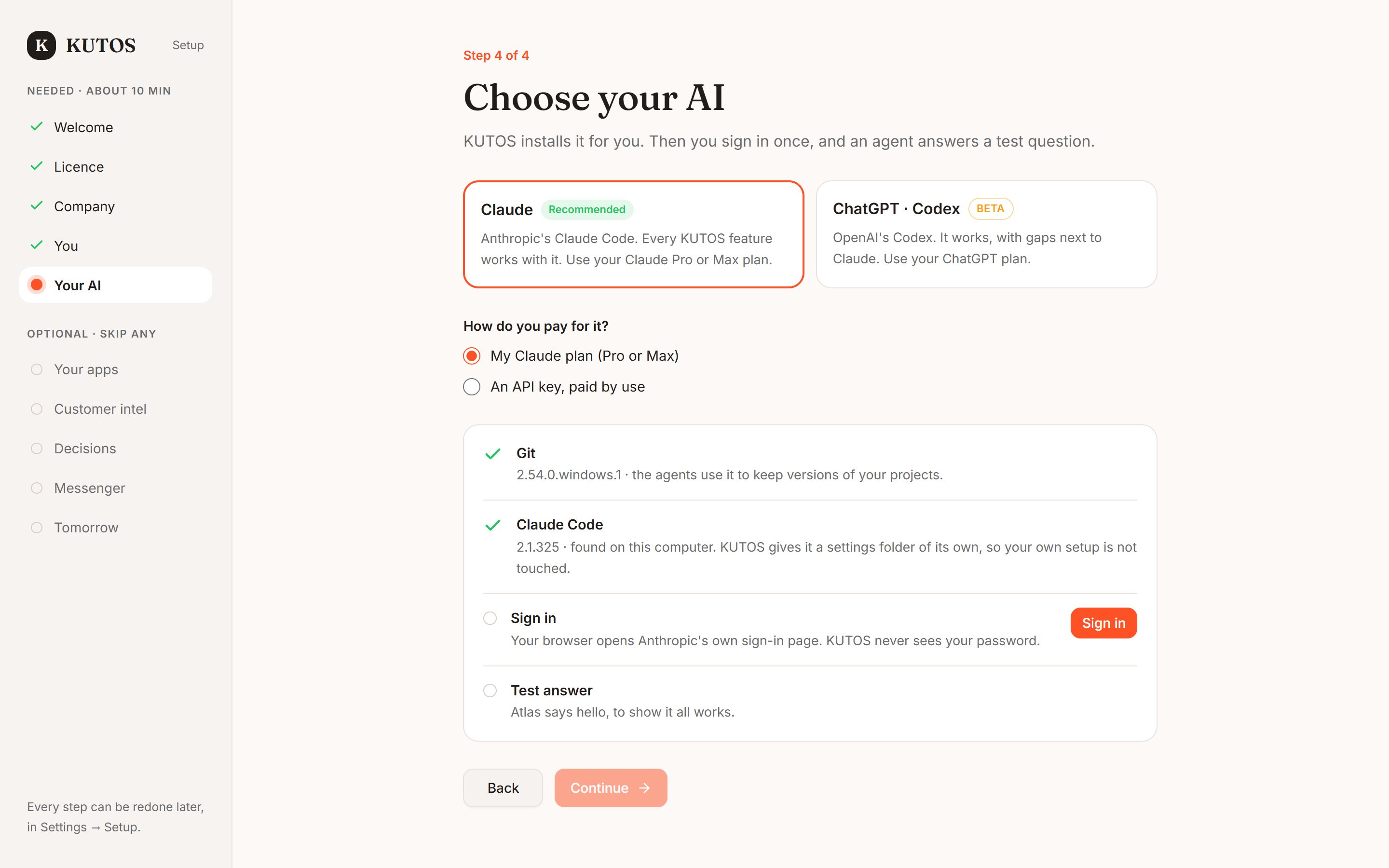
Already on Claude? Keep it. KUTOS runs on the same plan.
 KUTOS
on your computer





Claude's own desktop app
Built for one task at a time.
KUTOS
Built for client work.
A space per client that no other client's work can reach, the people and promises from your email and meetings, builds that wait for your yes, and a security check before handover.
And if you want ChatGPT for some of it, an agent can run on that too (beta).
Where KUTOS is not the answer, yet.
It runs on your computer. It doesn't keep working with the laptop closed. It catches up when you wake it.
Windows first. If you work on a Mac, the waitlist question is on the download page.
A team means one key and up to three people, each on their own computer. Shared team rooms are not in KUTOS yet.

Who makes it
“I build websites and apps for clients. KUTOS is the desk I built to run that work: five agents, and a room for every client.
Kaan Senol, Chief of Happiness
Made by the studio that runs on it.
Plans
One licence. A year of updates. Yours to keep.
Solo
/ year
One computer.
- All five agents and every page
- One licence key for one computer
- Every new version for 12 months
- Move to a new computer whenever you like
MultiComing soon
/ year
Three computers.
- Everything in Solo
- Three computers on one licence
- For a small team working together
Enterprise
Done for you.
- We set KUTOS up for your company
- Your agents, skills and workflows configured
- Training for you and your team
Plans are yearly. If you stop paying, KUTOS keeps working on your computer. You just stop getting new versions.
KUTOS runs on your own paid Claude or ChatGPT plan, which you pay for separately. Prices are in US dollars. Polar handles the payment as our merchant of record, and any sales tax or VAT is worked out at checkout.
No refunds once you've downloaded the app. Everything KUTOS does is on this page, and a call costs nothing.

Bring one client job. See which agent would take it.
You'll know in one call.
The client job that keeps landing on your desk
Example jobs: Fix the booking form for Contoso Dental; Draft the follow-up to Fabrikam Furniture; Check Fourth Coffee's site before handover.Or see plans.